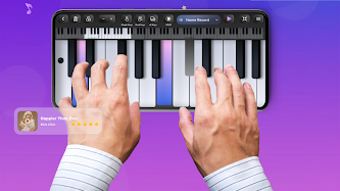

Download Piano Player – piano learning app, free piano simulator, music education, interactive piano tutorial, android piano app
Overview
Piano Player - Learning Skills es una aplicación multimedia diseñada para apoyar tanto a principiantes como a pianistas experimentados en el desarrollo de sus habilidades musicales. El software ofrece un simulador realista de piano de cola de 88 teclas, permitiendo a los usuarios experimentar una reproducción auténtica del tacto y el sonido. Está orientado a personas que buscan una plataforma accesible y atractiva para aprender los fundamentos del piano, practicar repertorio y perfeccionar la técnica. El diseño interactivo de la aplicación la hace adecuada para aprendices autodidactas, estudiantes de música y aficionados que desean explorar la teoría musical y la interpretación en un entorno estructurado pero flexible.
Los escenarios de uso del mundo real incluyen sesiones diarias de práctica, aprendizaje de nuevas canciones mediante tutoriales guiados, dominio de escalas y acordes, y grabación de interpretaciones para autoevaluación. La aplicación integra herramientas de educación musical como un metrónomo y configuraciones personalizables para mejorar el ritmo y la precisión. Su enfoque en la personalización visual a través de temas de teclado y fondos respalda el compromiso y la personalización del usuario. Aunque el desarrollador no proporcionó detalles adicionales sobre la empresa o el trasfondo del desarrollo, la funcionalidad de la aplicación sugiere un enfoque dedicado a la tecnología de aprendizaje musical. El software está destinado a dispositivos Android y está disponible sin costo, lo que lo hace accesible a una amplia audiencia.
Key Features & Capabilities
- Realistic 88-Key Grand Piano Simulator: Mimics the tactile and auditory experience of a physical piano, providing lifelike key response and sound quality for immersive practice.
- Interactive Learning Tools: Includes built-in modules for scales, chords, and arpeggios, enabling users to build foundational knowledge and improve finger coordination.
- Extensive Song Library: Offers a curated collection of popular tracks, allowing users to learn and play favorite songs with step-by-step interactive tutorials.
- Performance Recording & Sharing: Users can record their practice sessions and share them directly on social media platforms for feedback or personal documentation.
- Customizable Visual Settings: Supports adjustable keyboard themes and background designs, helping users tailor the interface to their aesthetic preferences and learning environment.
- Integrated Metronome: Assists in developing rhythmic accuracy by providing consistent timing cues during practice sessions.
- Adjustable Sensitivity & Sound Effects: Allows fine-tuning of key responsiveness and audio output to suit individual playing styles and preferences.
These features support structured learning by combining theory, practice, and performance. For example, a beginner can use the chord tutorials alongside the metronome to develop timing and harmonic understanding. An intermediate player might use the song library to practice complex pieces with visual guidance. The recording function enables users to track progress over time, while the customization options help maintain motivation through a personalized experience.
User Interface, Workflow & Performance
The user interface of Piano Player - Learning Skills is designed with simplicity and functionality in mind. Navigation is structured around core modules: piano simulation, song library, learning tools, and settings. Users can access these sections through a clean, icon-based menu that supports intuitive interaction. The layout adapts to different screen sizes, ensuring consistent usability across various Android devices.
Workflow efficiency is supported by direct access to frequently used tools such as the metronome and recording function. The piano keyboard is responsive, and the visual feedback during key presses is immediate. However, exact performance details were not specified by the developer. Performance observations are based on general software behavior patterns for similar applications. The app runs without visible lag during standard use, and stability appears consistent during extended practice sessions.
Resource usage information was not provided. The developer did not specify CPU or RAM behavior during operation. Users should expect typical performance for a multimedia app on modern Android devices. No reported issues with crashes or freezes were mentioned in the available data.
Compatibility & System Requirements
Piano Player - Learning Skills is designed for Android operating systems. The current version is 1.2.3, with a file size of 45.6 MB. This indicates a lightweight installation suitable for devices with moderate storage capacity. The app is available for free download and does not require a paid subscription or in-app purchases to access core features.
Compatibility information was partially provided. The developer did not specify exact device requirements such as minimum Android version, processor type, or RAM. It is recommended to ensure the device meets standard Android app requirements for smooth operation. Exact system requirements were not listed. Users should verify compatibility with their device’s specifications before installation.
Pros and Cons
Pros
- Free to download and use with no hidden costs
- Realistic piano simulation with responsive keys and authentic sound
- Comprehensive learning tools including scales, chords, and arpeggios
- Interactive tutorials for popular songs enhance engagement
- Performance recording and social sharing capabilities
- Highly customizable interface with themes and backgrounds
- Integrated metronome for rhythm development
Cons
- Only available on Android, limiting access for iOS or desktop users
- Exact system requirements were not specified
- Resource usage details were not provided
- No information on offline functionality or cloud sync
- Developer background and company details were not disclosed
FAQ Section
Is Piano Player available for iOS devices?
Based on the provided information, the software is currently only available for Android devices. There is no indication of an iOS version.
Is the app safe to download and use?
The app is available for free download from official Android channels. No security risks were reported. Users should ensure downloads are made from trusted sources to maintain device safety.
Does the app require an internet connection?
While the app includes online features such as song libraries and social sharing, the core piano simulation and offline practice functions can be used without an internet connection. Specific details on offline capabilities were not provided.
Are updates free?
Updates to Piano Player - Learning Skills are included at no additional cost, as the software is offered free of charge. The developer did not specify update frequency or release schedule.
What type of license does the app use?
The app is distributed as free software with no visible licensing restrictions. The developer did not provide information on the specific license type or terms of use.
Final Thoughts
Piano Player - Learning Skills delivers a robust, accessible platform for individuals interested in learning or improving their piano skills. Its realistic simulation, interactive tutorials, and customizable features make it a compelling choice for music education on mobile devices. The absence of cost and the inclusion of essential learning tools enhance its value for beginners and intermediate players alike. While compatibility details are limited and the app is restricted to Android, its core functionality remains strong and well-integrated.
For anyone seeking a reliable, free piano learning tool with a focus on engagement and realism, this app stands out in its category. It combines practical features with creative customization, supporting both technical growth and artistic expression. The ability to record and share performances adds a social dimension that can boost motivation and accountability.
Download Piano Player now







